Chat reactions and replies
Reveal a punchline or a short reaction one character at a time. Use a compact canvas for Discord or Slack, and check the chat app's file-size limit before sharing.
 GIFClear
Turn words into a typewriter animation with this free typing text GIF maker — entirely in your browser, with no upload or watermark.
Changes appear here as you type. Pause preview shows the completed text.
400 × 100px · 2.8 seconds per play · 17 frames
Estimated file size: about 101 KB. Actual size appears after generation.
Free, no signup, no credits, no watermark. Text and GIF encoding stay in this browser.
Compare a steady cursor, a monospace command, and transparent text. These examples were generated with the same local tool above; choose similar settings to make your own.
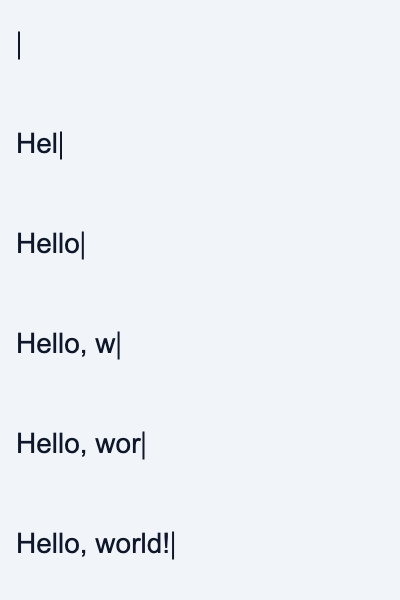
A vertical line follows each new character. A final pause gives readers time to finish the message.

Evenly spaced characters suit commands and short code snippets. The block cursor uses the same color as the text.
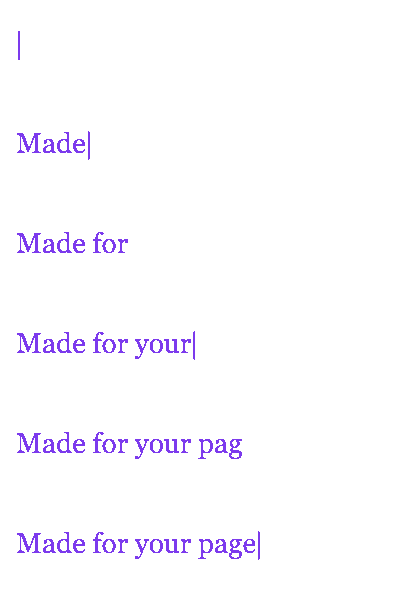
Transparent pixels let your page color show through. The checkerboard here is a preview background only.
Start with text rather than an uploaded image or video. Preview changes immediately, then generate the downloadable animation when the timing looks right.
Type up to 200 characters, including line breaks. Start with a short phrase so it stays readable at chat size.
Choose your font, colors, cursor, and canvas size. Adjust the typing speed and final pause while watching the live preview.
Click Generate GIF and keep the tab open while it encodes locally. Preview the result, then download typing-text-gif.gif.
Short messages give readers time to follow the reveal without waiting through a long loop. Choose dimensions and contrast for the place where the GIF will appear.
Reveal a punchline or a short reaction one character at a time. Use a compact canvas for Discord or Slack, and check the chat app's file-size limit before sharing.
Animate a short introduction or show a command being typed. Include the same information as plain text because some email and document viewers show only the first frame.
Show an example query, command, or product message as a typewriter text GIF. Keep essential instructions in HTML too, and consider a finite loop for pages where continuous motion would distract.
The generator renders text on a local canvas and encodes those frames into a GIF. You can adjust the animation without uploading source files or setting up an account.
Use these tools when you need to edit an existing animation or turn a video into a GIF. Download each result before moving to another tool.
Yes. This generator is free without login, credits, or a watermark. Your text is rendered and encoded in your browser; it is not uploaded for processing.
Enter your text, choose a font and cursor, and adjust the milliseconds per character. The live canvas reveals characters in sequence. Click Generate GIF to encode those frames, then download the typewriter GIF.
Yes. Turn on Transparent background before generating. The checkerboard is a preview guide and is not saved. GIF transparency is on or off per pixel, so text edges can look sharper than the canvas preview. Check the saved GIF on light and dark backgrounds.
Choose Monospace, Arial, Verdana, or Georgia. Monospace uses Courier New when available, with a generic monospace fallback. The other choices also use local system fallbacks, so letter shapes may vary by device; the downloaded GIF keeps the pixels rendered on your device.
You can enter up to 200 characters and choose 320 × 80, 400 × 100, or 600 × 200 pixels. Duration depends on character count, typing speed, and the final pause; 200 characters at 300 ms plus a five-second pause is about 65 seconds per play. File size depends on dimensions, text, and frames. Files over 5 MB or 120 frames may take longer.
Yes. Set 30–300 ms per character, choose a pause of up to five seconds after typing, and select infinite looping or a fixed number of plays. Lower milliseconds mean faster typing. GIF viewers can interpret short frame delays or finite loops differently, so test your destination app.
Line breaks and automatic line wrapping are supported within one text block. Choose a larger canvas or smaller font if the text does not fit. Separate paragraphs remain visible as typing continues; rotating, deleting, or cycling between separate messages is not available.
Download the GIF and attach it in Discord or Slack, insert it as an image in an email, or embed it on a webpage. Check the destination's upload limits and animation support. Some email clients display only the first frame, and some platforms convert GIFs or flatten transparency. Add a plain-text alternative for essential information.
Shorten the text, choose a smaller canvas, or use a steady cursor instead of a blinking one to reduce the number of frames. A longer pause with a steady cursor changes the delay rather than adding frames. You can also try GIFClear's GIF compressor and compare the result with your platform's limit.
Yes, use a current mobile browser with JavaScript and canvas support. Keep the tab open during generation, and try shorter text or a smaller canvas if memory is limited. Use Download GIF to save the result; the browser may offer its download or share sheet.
File still above your upload limit? Try the GIF compressor and compare the full animation before saving. A smaller canvas or shorter message can also reduce the exported file size.